Conversational Game Development With an In-Engine AI Agent
In-engine AI agents eliminate the tedious translation work between code and game editor.
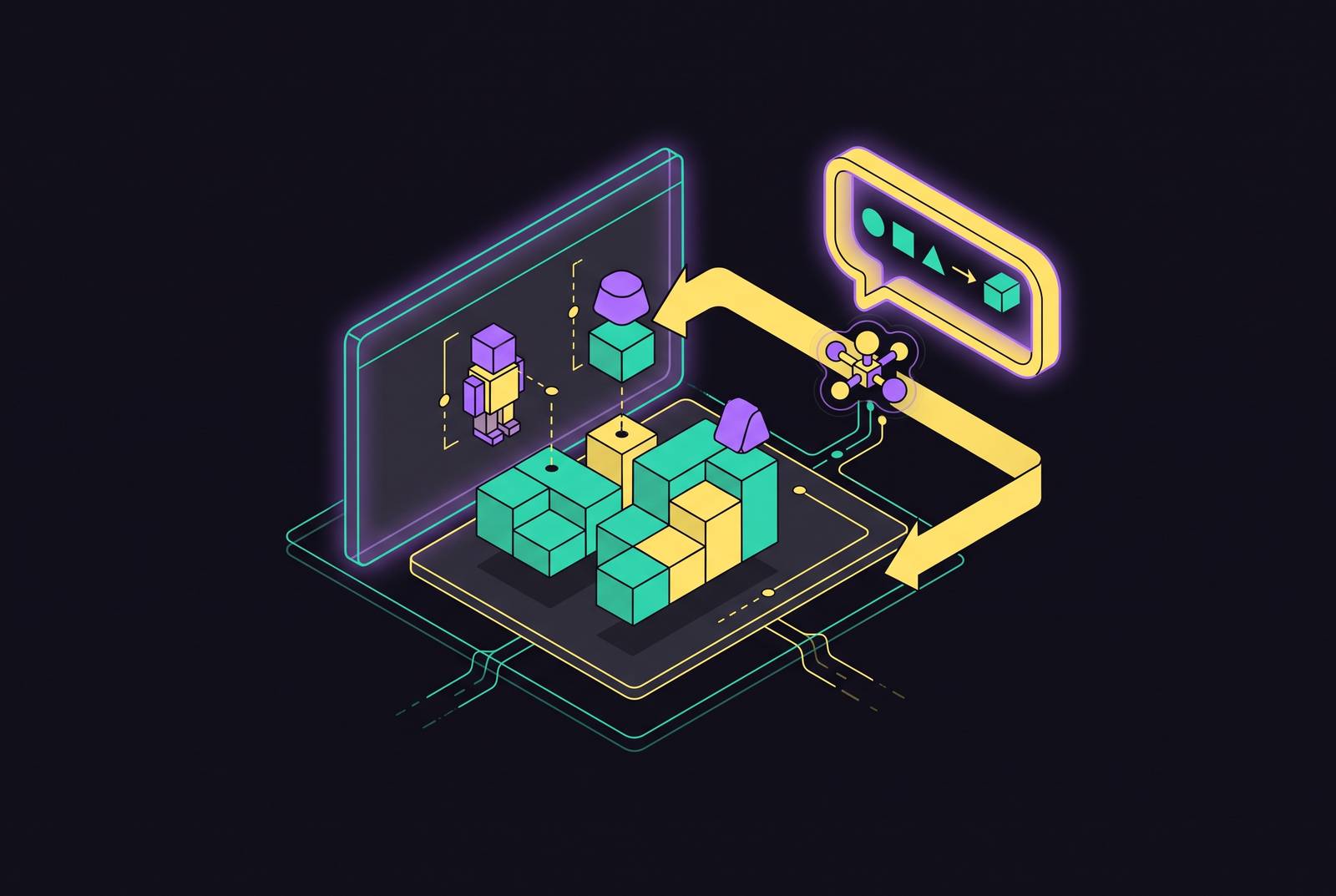
The barrier to AI-assisted game creation has never been the quality of the model. It is the gap between generated text and a running game. A developer can describe an alchemy crafting system to a chat model and get back a visual scripting graph, clean and plausible, pasted into a chat window. The model returns three compile errors. The developer pastes the build output back, gets a correction, tries again. Eventually the graph compiles. That is the ceiling of the pattern, and it is a low one: even when it works, the developer has spent the session translating between two separate worlds, one where the AI writes and one where the game actually runs.
The far more common version of this story starts simpler and ends the same way. A developer describes a game to a chat model, receives code, opens an editor, creates a project, pastes the scripts, fixes the import paths, attaches nodes, and then debugs why nothing moves. The AI did real work in that exchange. The developer is now doing game development the hard way, with an assistant reading over their shoulder.
This gap is structural, tied to the absence of shared state between the model and the project. A chat model lives in a separate window from the project. It never sees the scene tree, the node hierarchy, or the console output when the game crashes. Every handoff between what the model produces and what the editor needs requires a human to translate text into editor operations: creating the right node, naming it correctly, attaching the right script, wiring the right signal. The model can be arbitrarily good at writing game logic code and the bottleneck persists, because the bottleneck was never the writing. It was the distance between the page and the project.
That distance is also why "conversational game development" currently means several incompatible things depending on which tool answers the prompt. Some tools mean a chat window that writes convincing code a developer still has to carry into the editor by hand. Others mean something closer to the project itself responding to the conversation. The rest of this piece examines those two approaches and why only one of them resolves the bottleneck rather than just making the paste-and-wire work faster.
What changes when the AI operates inside the editor
An AI agent that lives inside the engine closes the feedback loop by acting on the project directly. It can create scenes, add and configure nodes, write scripts to disk, run the game, and read the runtime errors that come back, all without a human in the loop translating text into editor operations. The paste step disappears because there is no text to paste. The wiring step disappears because the agent is the one doing the wiring.
The distinction is between text generation and action. A chat model produces language a person has to interpret and then apply correctly inside an unfamiliar interface. An in-engine agent performs operations that are explicit and structured: add this node under this parent, set this property to this value, attach this script to this object. Those operations can be checked, because they either happened or they did not, in a way a paragraph of suggested code never can be checked until someone has already done the work of applying it.
Context is what actually separates the two. A plain chat window has no way to know what the node in a developer's scene is named, how its signals are connected, which physics layer it sits on, or whether the game is even running. Its output is necessarily a guess about the state of a project it cannot see. An in-engine agent reads the real scene before it acts. Its first move is informed by what is actually there.
The practical consequence appears the moment a character needs to move. An in-engine agent can build the scene, drop in the character, write the movement script, attach it to the right node, set up the physics body and collision shape, and bind the input, all inside one session. The developer's job becomes pressing play on a build that exists, rather than debugging a pile of half-wired pieces assembled from instructions written somewhere else. The agent can also run the game itself and read the diagnostics that come back when something fails. It can correct its own errors inside the same loop. A text window can never do this, because a text window never sees the game run. That capacity to look at a failure and act on it without a human forwarding the error message back is the actual mechanism behind the phrase "closing the loop."
The Model Context Protocol and addressable tool surfaces
None of this works without a way for an AI system to reach into an editor and act on it with the same precision a human would use a mouse and keyboard for. The Model Context Protocol supplies that: a standard way for an agent to discover what exists in a project, mutate it through defined operations, and read back what happened. What used to be a copy-paste interface, mediated entirely by a human retyping or reapplying whatever the model produced, becomes a set of explicit calls the agent can issue and verify.
The editor becomes an addressable tool surface that the agent can reach into directly. Actions are explicit, structured calls the agent issues. Inputs are structured rather than freeform text that has to be parsed and reinterpreted. Outputs are inspectable, so the agent can confirm a node was created, a property was set, or a script ran without error, by reading a real signal from the running environment instead of trusting that its own instructions were followed correctly somewhere else.
In practice, for Godot-adjacent workflows, this often takes the shape of a small addon running inside the editor that exposes the scene tree, node properties, and a script execution channel over a local WebSocket, a pattern common to many Godot MCP projects. An MCP server sits on the other side, translating tool calls from an AI client such as Claude Desktop or Cursor into those editor messages, which lets the AI read the actual scene, create nodes, write scripts, capture screenshots, and execute GDScript at runtime. Not every implementation uses a local server: Godot-Clarity, built by AKDworks, instead uses an Agent Skill approach with no separate WebSocket bridge to manage, and supports Godot 4.7.x with GDScript in both 2D and 3D, with best-effort support reaching back into earlier 4.x releases.
The protocol itself is a plumbing layer, not the interesting part of the story on its own. The protocol makes possible a standard enough interface that multiple tools, at different depths of integration, can all claim to put an AI "inside" the editor, even though those claims mean very different things depending on how much of the editor's actual state the agent can see and change.
The integration spectrum from shallow to deep
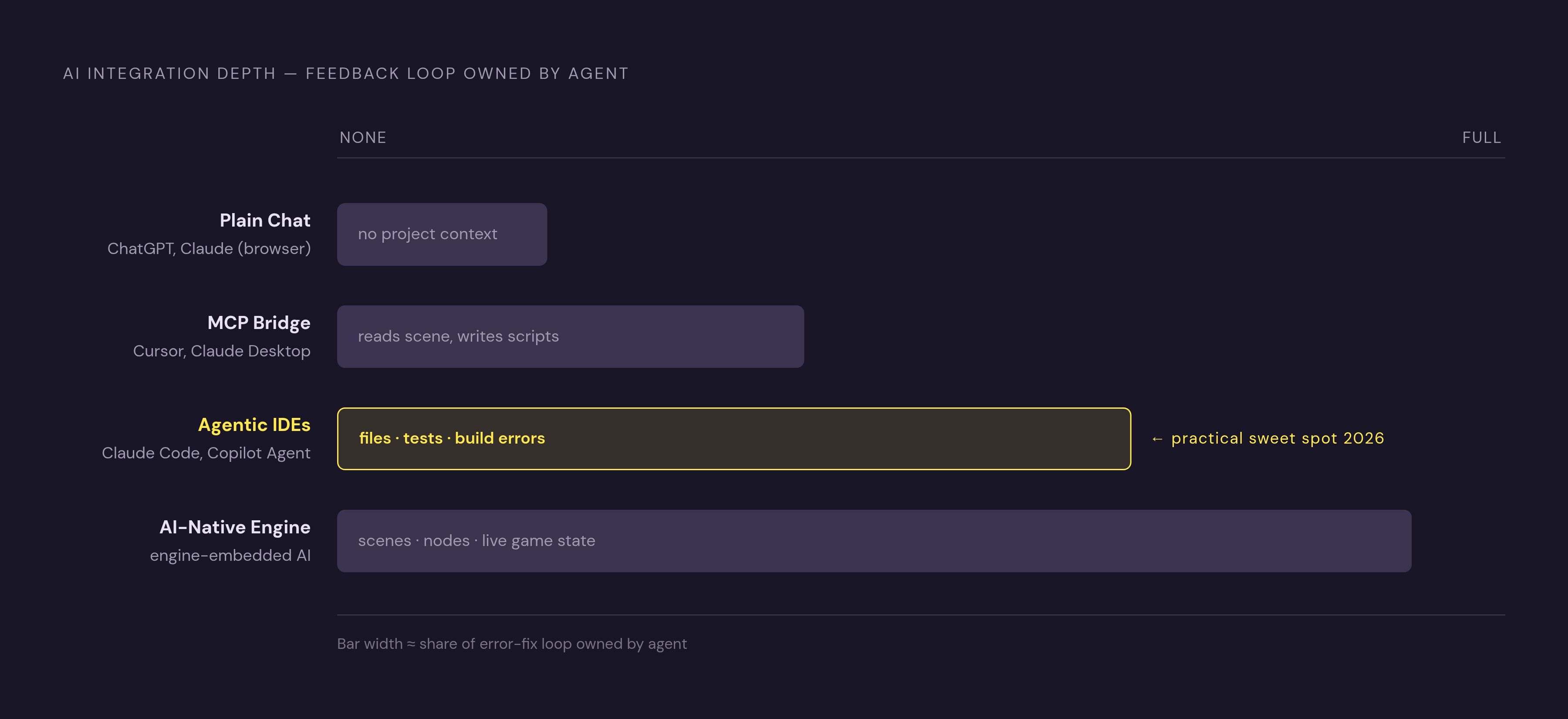
Not all AI integration with a game editor delivers the same thing, even when every tool in question gets described as working "inside" the project. The depth of the feedback loop is the variable that matters: it determines whether the developer is still doing the wiring by hand or whether the AI is.
At the shallow end sits plain chat. A tool like ChatGPT or Claude running in a browser tab cannot see the project at all. It guesses at node names and signal connections based on convention, and the developer spends real time correcting that guesswork before any of it becomes usable. For most GDScript work, this context gap matters more than which underlying model is answering the prompt; a better model guessing at an invisible project is still guessing.
One level up is the MCP bridge connected to an external IDE. An agent running in Claude Desktop, Cursor, or a comparable client connects to the editor through a bridge and can read the scene and write scripts directly. The developer still has to set up and maintain that bridge, and the depth of what the agent can actually do depends on which tools the server on the other end exposes. This tier is a genuine and useful option for developers who already have a setup built around one of these clients.
Deeper still are agentic IDEs that operate on files with real autonomy. Claude Code, Cursor Composer, and GitHub Copilot's Agent Mode and Coding Agent can write entire files, refactor across several files at once, run tests, and read build errors without a human relaying them. For indie teams working in 2026, this tier is the practical sweet spot: the agent works under the developer's eye but with enough independence to move fast, which gives small teams the best ratio of output to risk currently available.
The deepest tier is the AI-native engine, where the AI is part of the engine itself rather than a plugin bolted onto it or a bridge reaching across to it. It understands scenes, nodes, physics, and the state of the running game, not just the text of files. It can coordinate asset generation, code, and scene setup in one place, so a generated 3D model lands in the project already configured rather than arriving as a download that still has to be reimported and rigged by hand. Each step up this spectrum shifts more of the read-the-error-and-fix-it loop away from the developer and onto the agent. At the shallow end, a null reference thrown at runtime is entirely the developer's problem to locate and explain back to the model. At the deepest end, the agent reads that same error and repairs it inside the same session.
Where in-engine agents are strong today and where they still hand work back to the developer
In-engine agents earn their keep on structured, repeatable work: scaffolding new systems, generating tests, batching localization, and writing asset pipeline scripts. These are tasks with a clear, checkable target, the condition under which an agent's output can be verified.
GDScript work carries a specific hazard: many models were trained on a large amount of Godot 3 code, and they will sometimes emit syntax from that era: yield where modern code expects await, KinematicBody where current projects use CharacterBody. A single stale API call like this can break an entire script once it grows past a few lines, and the failure compounds across the script.
The places these agents still hand work back to the developer are not edge cases. Game-specific logic, save systems, performance debugging, and the tuning that makes a game feel right under a player's hands are all work without a single correct output to check against. Success in these areas is a judgment about how the game feels to a human, not a test that passes or fails.
Runtime AI NPCs sit in a similar category of unresolved work. Tools built for character personality and real-time reaction, such as Inworld AI and Charisma.ai, exist and are genuinely capable, but latency, token cost, and the difficulty of guaranteeing safe output all remain open problems. Neither belongs in a shipping build without careful constraint around what the character is permitted to say.
There is also a ceiling tied to the developer's own skill. A developer who cannot read a runtime error reaches that ceiling the moment a confident-looking agent output breaks during play. Closing the feedback loop inside the engine reduces how often that happens and how costly it is when it does, but it does not remove the value of being able to read what actually went wrong.
The cost of ignoring all of this is concrete: an agent handed a loose, unreviewed task produces cost rather than output, because unverified changes still have to be found and undone later. The discipline that prevents this is small and unglamorous: prompt one change, press play, observe, prompt the next change. That rhythm, closer to reviewing a small pull request than issuing an open-ended instruction, is the habit that separates a project that ships from one that quietly breaks somewhere the developer never watched.
A practical conversational workflow: from first prompt to running build
The workflow that ships follows directly from the discipline above, applied as a sequence.
Start by compressing the idea into a single sentence with three parts: the player, the action, and the condition that ends a round. Leave out story, art style, menus, and sound entirely; those come after the core loop runs, not before. "A 2D platformer where I jump between platforms and collect coins, and I fall off the bottom to lose" is a usable first sentence. "An open-world RPG with crafting, dialogue, a day-night cycle, and three factions" is not, because it gives the agent no small target to build and no way to verify the result against anything concrete. A sprawling scope hands the agent nowhere to start.
Begin from a template. A platformer template arrives with a character controller, gravity, jump tuning, and tile collision already correct. The agent's effort goes toward what makes this particular game distinctive instead of reconstructing foundations every project needs anyway.
Prompt the core loop and press play immediately. Then add mechanics one at a time, each as its own testable step. When a single addition breaks something, there is exactly one suspect. When several things change at once and something is wrong, the developer is debugging a haystack of their own making, the same failure mode the paste-and-wire pattern produces from the outside.
Use the agent for assets inside the same conversation rather than treating art and audio as a separate errand. Sprites, 3D models, sound effects, and music can all be generated and dropped into the scene without leaving the session. Art direction stays a human decision throughout; the agent executes it.
Playtest as though the agent cannot, because it cannot. It builds the scaffold, generates the assets, and wires the systems together competently. It has no way to tell the developer whether the game is fun to play. That judgment is the one step in the entire workflow that resists compression, and it stays with the developer no matter how deep the integration goes.
The asset pipeline and the in-engine loop
Step 4 of that workflow, generating assets inside the same conversation, depends on the asset tools themselves being reachable the same way the engine is: through an MCP server rather than a separate application a developer has to exit the conversation to use. When a tool exposes that kind of interface, generating a model, rigging it, and placing it into the scene can happen without ever leaving the session where the movement script for that same model is being written.
For 3D models, Meshy covers both text-to-3D and image-to-3D generation, with more than 500 animation presets, auto-rigging, and one-click plugins. Free-tier outputs carry a CC BY 4.0 license, which permits commercial use with attribution; paid tiers remove the attribution requirement. The tier matters enough to check before committing a generated asset to a commercial release.
Rigging has its own moment of transition, since Mixamo has become unreliable. Two open-license alternatives fill part of that gap. UniRig, MIT-licensed, handles auto-rigging. NVIDIA SOMA-X, Apache 2.0 licensed, unifies several parametric human body models, including SMPL, SMPL-X, and MHR, onto a single canonical skeleton and rig, built for animation and robotics pipelines rather than as a general-purpose mesh auto-rigger, and it is not positioned as a direct Mixamo replacement.
For 2D art and sprites, Scenario's strength is custom-trained house styles: it produces style-consistent sprites and tiles from models trained on a developer's own existing art, rather than a generic look applied uniformly across projects.
Audio splits across a few tools with different strengths. ElevenLabs covers text-to-sound-effects with seamless looping for ambiences, voice generation and cloning for NPC dialogue at scale, and full music tracks, all reachable through an API and an official MCP server, with commercial access available starting at a low-cost Starter plan. Suno generates complete music tracks from text prompts and is useful for mood exploration, placeholder scoring, and trailers, though control over stems, looping, and interactive implementation inside a game may need additional work beyond the generated track itself. Among open-weight options, Stable Audio 3.0 includes a dedicated sound-effects model trained on licensed data, and ACE-Step 1.5, MIT-licensed, handles music generation with voice cloning built in.
What ties all of these tools together is the shared property that matters for this piece's argument: each one can be reached from inside the same conversation that is building the scene, writing the script, and running the game, so the asset pipeline becomes one more operation the agent performs.