Using AI Agents to Accelerate Godot Scene and Node Setup
AI agents that can see your live Godot project close the feedback loop.
The hard problem in AI-assisted Godot work isn't how fast a model writes GDScript. It's whether the AI can see the actual project before it writes anything. Stock Godot ships with no AI assistant, no chat panel, no agent, no scene reader. Every AI layer is something the developer adds on top, and the gap between what the model assumes and what the project actually contains is where the workflow breaks down.
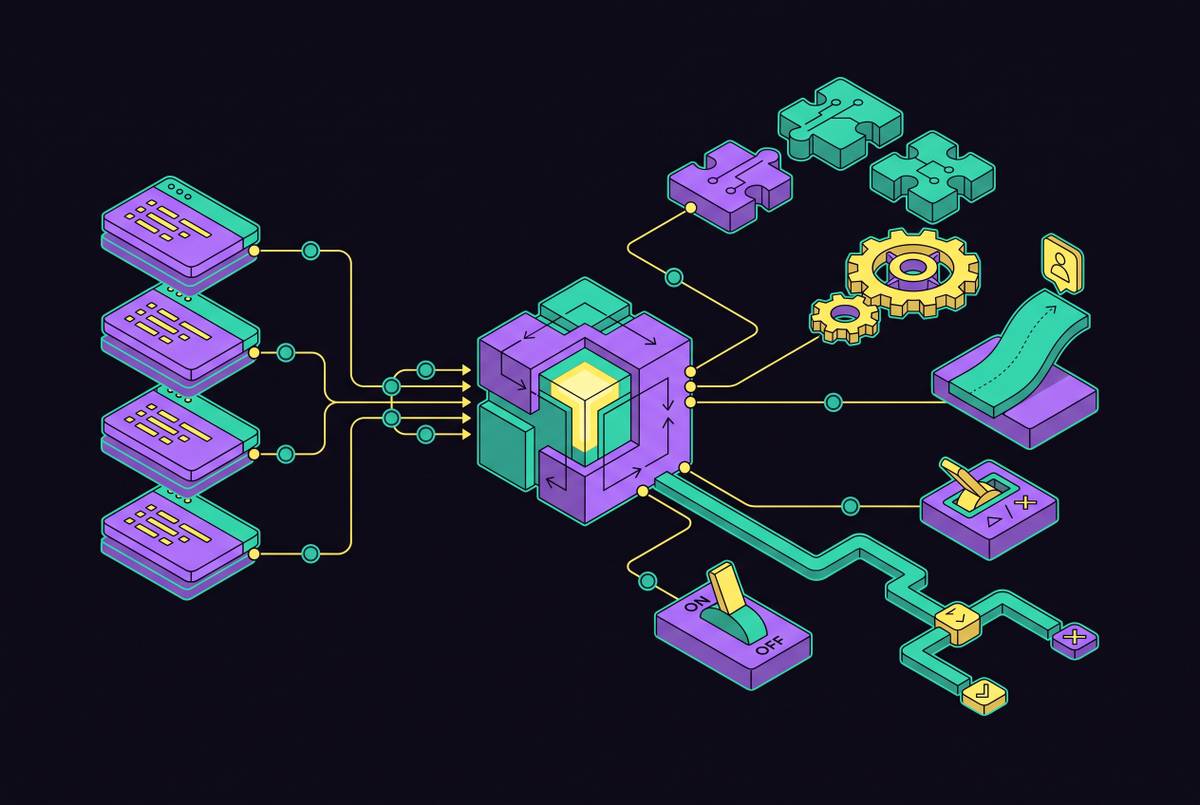
A plain chat window cannot see a scene tree or node names. It guesses the project structure and references nodes that do not exist. Every AI-assisted Godot workflow runs the same four-stage loop: intent, edit, run, feedback. Most tools perform competently in the middle, at code generation. They break at the edges, in context and runtime verification, and that is where the time actually goes.
The specific failure mode is subtle and expensive. The model produces plausible GDScript that references $Player/Sprite2D when the actual node is named PlayerSprite, or connects a signal that does not exist. None of this is a syntax error. It compiles, and it fails at runtime, leaving the developer to trace a problem the model cannot see and never learns about.
What closes the context gap: how AI agents read a live Godot project
The architectural shift that separates an AI agent from a code generator is the ability to read the real scene tree before writing a single line. Model Context Protocol is the standard that makes that possible in Godot. MCP lets an AI client call external tools, and a Godot MCP server exposes the scene tree, node properties, and project files to clients like Cursor, Claude Desktop, Claude Code, or Devin Desktop.
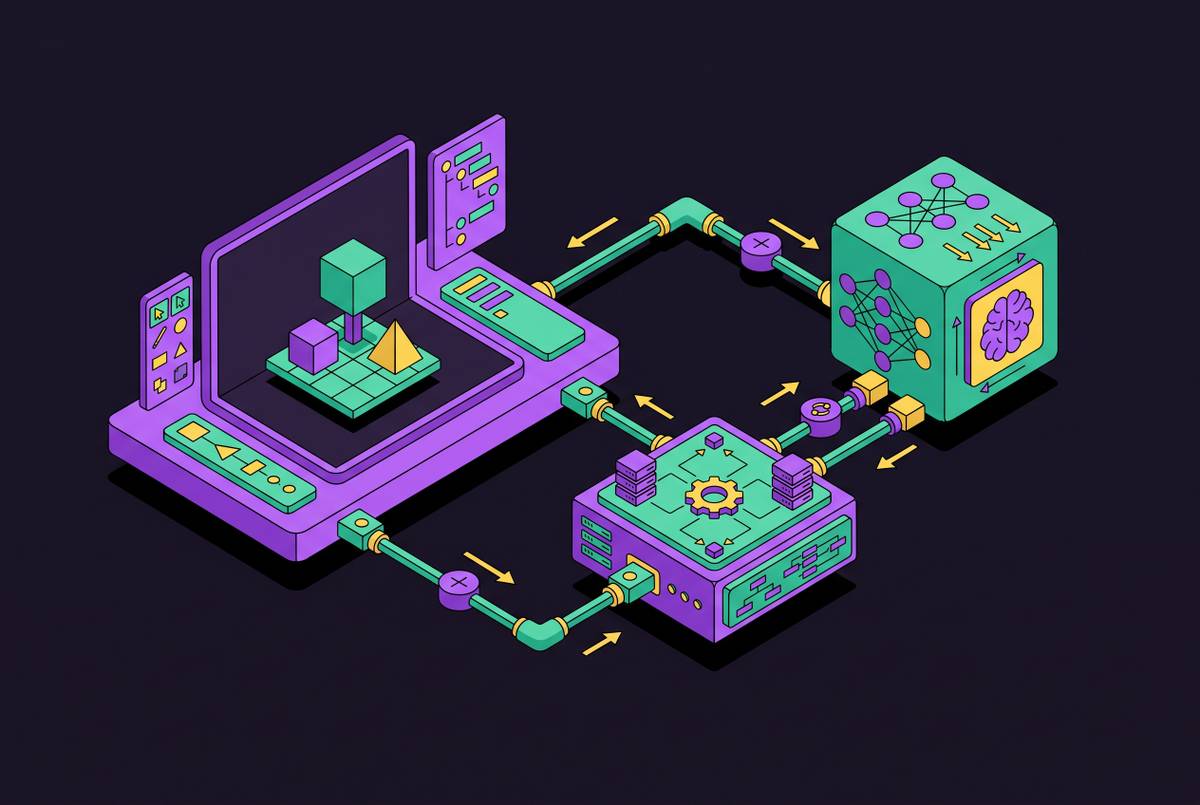
The typical implementation runs a GDScript addon inside the Godot editor, which exposes the scene tree, node properties, and in many implementations a GDScript execution channel over a local WebSocket or TCP connection. A Node.js MCP server translates AI-IDE tool calls into those WebSocket messages. From the AI's perspective, the engine becomes a set of callable tools: create_node, set_property, run_script, capture_screenshot.
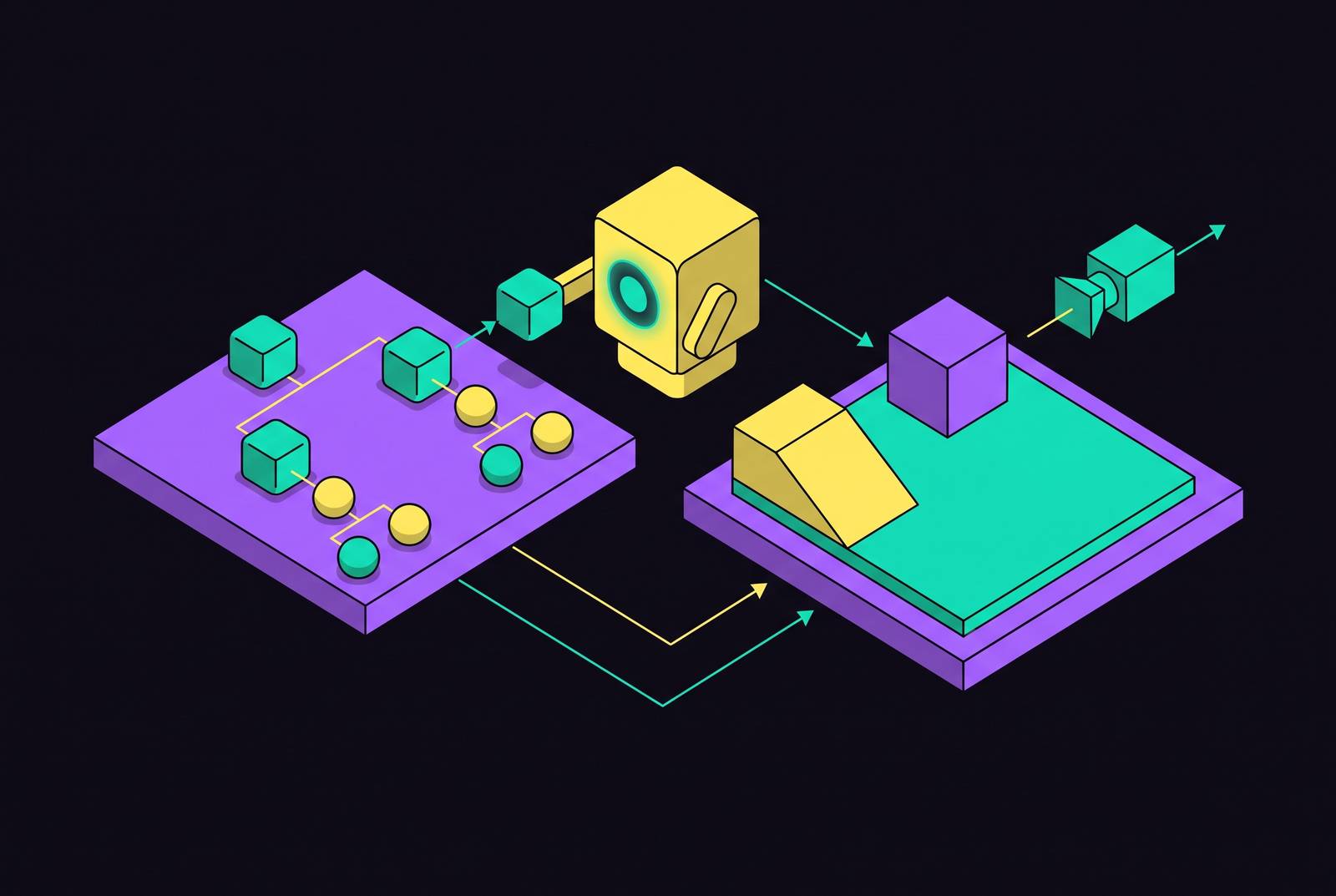
The capability this unlocks is a closed feedback loop. The AI reads the actual scene, sees the actual node types, executes changes in place, and when something breaks it can screenshot the result, read the error console, and try again. That loop is the whole job, and the distinction between file-level and engine-level access is the load-bearing idea. File-level agents write.gd and.tscn files as raw text and require the editor to reload. Engine-level agents create nodes through the editor's own APIs, so the output is guaranteed valid because it uses the same code path as manual editing. Summer Engine takes a different architectural approach. Its AI agent is built directly into the engine, giving it native read-and-write access to the scene tree and the ability to close the feedback loop, inspecting changes, capturing screenshots, and iterating, without leaving the application.
The four integration tiers and what each one can actually see and do
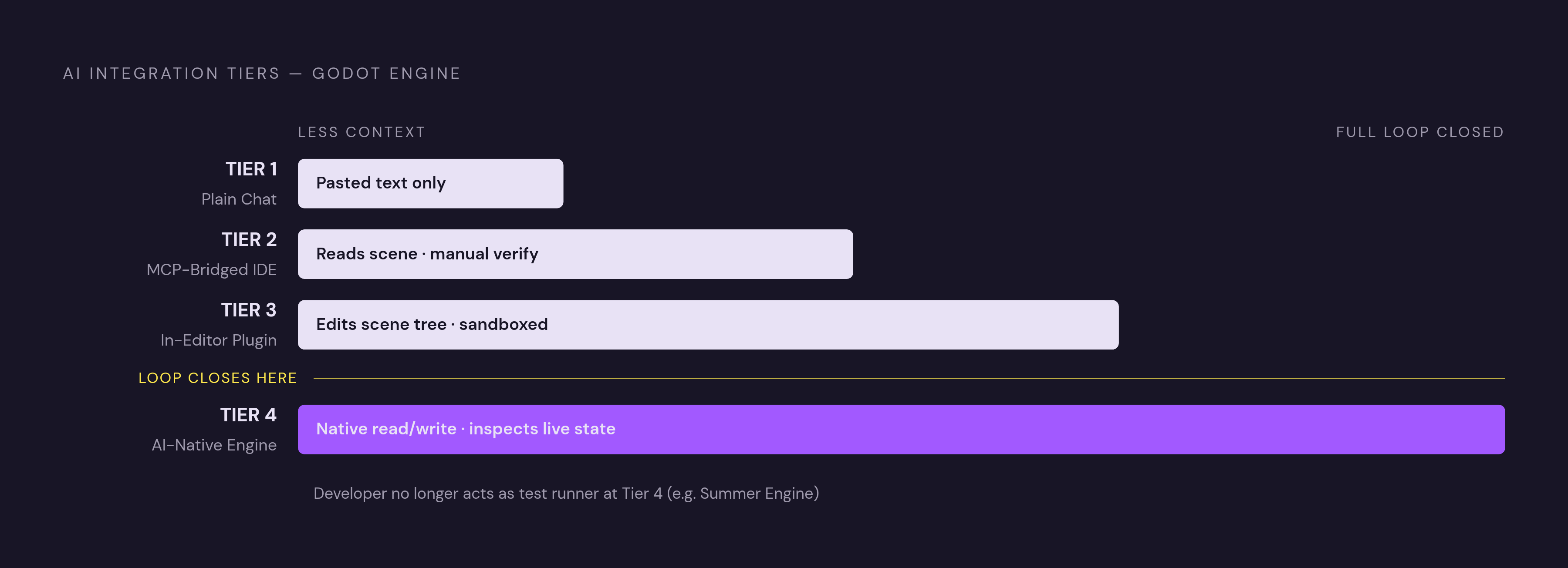
The four integration tiers differ not on code quality but on how much of the project the AI can see and act on. That difference determines which parts of the edit-run-feedback loop the developer still closes by hand. Tier 1 is plain chat using Claude, ChatGPT, or similar. There is no setup, but the model sees only what the developer pastes. Every fix is a copy-paste round trip, and the model never learns whether its last suggestion worked. It's usable for one-off functions and costly in manual shuttling for a whole game. Three habits reduce the guessing: state the Godot version explicitly, paste the real node tree rather than describing it, and paste the full error line including the node path rather than a paraphrase.
Tier 2 is MCP-bridged external IDEs. Here the AI reads the real scene structure, node names, types, and relationships, instead of treating.tscn files as text or asking the developer to describe them. It can create and modify nodes in many configurations, which removes the most common cause of wrong-on-the-first-try AI code in Godot. The ceiling is higher than bare chat, but most file-level configurations still cannot press play and read a live runtime error. Runtime verification falls to the developer. Summer Engine hosts a Godot MCP server at summerengine.com/mcp alongside community options.
Tier 3 moves the assistant inside the editor. In-editor plugins live in the editor itself, eliminating window-switching, and can generate and insert GDScript, and depending on the plugin, edit the scene tree and node properties directly. They are constrained by the plugin sandbox. They run in the editor process, share its memory, and access only the subset of editor capabilities the plugin API exposes. AI Assistant Hub from FlamxGames is a free, open-source Godot 4 plugin that embeds chat in the Code Editor, reads highlighted code, writes GDScript back, and uses the developer's own LLM via Ollama, Gemini, xAI, OpenRouter, llama.cpp, Jan, Ollama Turbo, OpenWebUI, and similar providers.
Tier 4 is the AI-native engine, where the AI is part of the editor rather than a plugin or external process. It operates through the same APIs the editor uses, with no plugin boundaries, no file-level limitations, and no external API calls for basic operations. It can inspect running game state, reason about the full project context, and close the feedback loop without the developer acting as test runner. The trade-off is that moving to an AI-native engine means leaving the stock Godot editor, though Summer Engine is compatible with Godot 4 and supports GDScript and C++. C# is also available, but only in the desktop editor, and cannot export to the web.
Named MCP servers for Godot: what each one exposes and where each one stops
Choosing a Godot MCP server is a decision about capability surface, not configuration preference. Each server exposes a different slice of editor and runtime access, and picking the wrong one for a given task means hitting a wall mid-workflow. godot-mcp from KeeVeeG has the broadest feature surface among community servers: scene construction, node manipulation, runtime GDScript execution inside a running game, input recording, physics setup, animation authoring, project export, addon management, debugging, screenshot capture, and signal watching. godot-agent, also called gda, is headless, one-shot, and stateless in its CLI/MCP server form, requiring no editor plugin or daemon for headless mode. It installs from PyPI and requires Python 3.13+ and a Godot binary, 4.4+ for headless and 4.6+ for live operations. It emits structured JSON on stdout with --json, enabling agents and CI pipelines to act on typed results. The godot-agent GitHub repository documents the full capability surface including headless validation and live daemon modes.
Godai covers Godot automation including driving the editor itself. The consistent pattern across these servers is a GDScript addon in the editor plus a local server translating AI tool calls into WebSocket messages. What differs is which tools are exposed, whether live runtime state is readable, and whether the server requires the editor to be open.
Which AI models and coding assistants produce reliable GDScript in this context
By mid-2026 the strong frontier models write Godot 4 GDScript reliably enough that model choice is not the deciding factor. The model defaults to Godot 3 syntax on anything it is unsure about, especially signal connections and node references. Claude Opus is the most reliable for Godot 4 GDScript in mid-2026. For local or offline work, Qwen2.5-Coder 32B is the best option in 2026. At 32B it writes GDScript close to a budget hosted model on common tasks and follows multi-step instructions better than other local options. Among coding assistants, Claude Code is the strongest external option for multi-step agentic work. Art-driven timing, attack frame counts, jump-input windows, dash cooldowns, is a game-feel question for which the AI has no ground truth.
The runtime verification gap and why closing the feedback loop changes what "agentic" means
A chain of file edits that ends without runtime verification is not agentic coding. It is fast autocomplete with extra steps, and in Godot this distinction matters more than in most languages because the most common bugs are invisible until the game runs. A null node path, a missing signal connection, a CharacterBody2D with no collision shape, none are syntax errors. All cause crashes or wrong behavior when the game plays.
Most Godot AI setups edit files and then go quiet. The developer becomes the test runner who closes every loop by hand, pressing play and reporting back what broke. True agentic behavior in this context means the agent presses play, reads the debugger and console output, notices that the dash clips through walls or wave three throws a null reference, and feeds that back as the next intent, without the developer doing it.
The emerging multi-agent pattern is now clear enough to describe. Single-agent task execution and two-agent creator/validator pipelines are production-ready and used daily. The validation step catches most issues. Fully autonomous pipelines of four to five agents running without human checkpoints are still experimental and unreliable for complex scenes.
Where the feedback loop is closed natively, in AI-native engines where the agent can inspect running game state, the developer stops being the test runner and starts being the director: describing intent, reviewing results, redirecting. Summer Engine puts this closure inside the engine itself. Its Summer AI can inspect running game state without the developer wiring a separate feedback channel, which is the structural difference between a plugin bolted onto an existing editor and an AI built into the engine from the start.
How to structure a multi-step scene setup task so an agent can execute it reliably
The quality of an agent's scene setup output is shaped as much by how the task is described as by which tool is running it. A well-formed multi-step task follows the same sequence regardless of tier. A good agent breaks down "Add an inventory system" into discrete steps: create an Inventory resource script, write an InventoryManager autoload, create the inventory UI scene with a GridContainer and item slots, write slot interaction logic, connect the UI to the manager via signals, add item pickup logic to the player controller, and create test items to verify the system. Each step builds on the last rather than dumping all code at once.
The practical inputs that prevent context guessing apply at every tier. State the Godot version explicitly in the prompt. Paste or expose the real node tree, not a description of it, so the agent uses actual node names. Paste the full error line including the node path when debugging, not a paraphrase. On MCP tiers, confirm that the server's scene-read tools are active before issuing a multi-step task.
Structural assembly is where agents save the most time: node creation, signal wiring, input action setup. Physics tuning and game-feel timing remain empirical and require human judgment after the agent has wired the code. Verification checkpoints belong in every multi-step task. Does the script parse without errors? Are all node paths valid? Do the target methods for connected signals exist? Good agents check these. If the tool doesn't, the developer builds them into the review step. The godot-agent headless validation flow is a concrete example of baking verification in. Its scene validate and scene preflight commands confirm project readiness before live operations run, so the agent knows what state the project is in before it tries to drive it.
Where this workflow genuinely saves time and where it does not
Agent-aware scene setup saves meaningful time on structural assembly and multi-step wiring, but it does not remove the parts of game development that are inherently empirical. Conflating the two is the most common source of disappointment with AI game tools. The time savings are real and documentable where the work is structural. Creating a node hierarchy, writing and attaching a script, wiring signals, adding an input action, these are sequential manual steps an agent does as a chain. Project-wide refactors benefit from the MCP context advantage: the agent reads actual node names and paths rather than guessing, which eliminates the most common source of wrong-on-the-first-try code.
Time-constrained contexts get the most dramatic benefit. In jams, the traditional setup overhead, project initialization, input mapping, state machine construction, UI wiring, is where AI-native workflows remove the most friction before any design can be tested. The workflow does not save time on physics tuning. The agent can wire correct code but cannot know the right gravity scale, friction coefficient, or collision layer mask without running the game. Those values are empirical. Nor does it help with game feel. Attack frame counts, jump-input windows, dash cooldowns, the code is correct, the feel is wrong, and only play-testing reveals it.
Deciding what to cut is likewise human work. In a jam or a scoped project, the most important decisions are scope decisions, and no agent makes them. The most important hour of a jam is the first one, before anyone touches a tool. Fully autonomous pipelines of four to five agents running without human checkpoints remain experimental and unreliable for complex scenes. The production-ready pattern is single-agent or two-agent creator/validator.
The calibrated summary is that AI agents accelerate the parts of scene setup that are structural and repeatable. They do not accelerate the parts that are empirical, aesthetic, or require understanding what the player experiences. Transparency about that boundary is more useful to developers than hype in either direction. Summer Engine exemplifies Tier 4 by design. It combines scene-tree visibility with live runtime feedback and multi-step iteration within a single application, so the developer never hands off the loop to an external tool or pastes context between windows.
Sources
- The Godot AI Workflow in 2026: What Agentic Coding Actually Means
- Godot AI Agent Guide (2026): Tools, Setup, and What Works
- How to Use AI in Godot: A Step-by-Step Guide for 2026
- GitHub - chenzeyan54-commits/godot-agent: Godot automation for AI agents to build and verify projects through a CLI, Agent Skill, or MCP server, with structured results, headless operations, and live runtime control. · GitHub
- The Best AI Coding Assistant for Godot in 2026 (Ranked by Real GDScript Work)
- Best AI Tools for Godot Game Development in 2026 (Tested and Compared)
- The Best AI for GDScript in 2026 (Honest Model and Tool Roundup)