The Non-Coder's Step-by-Step Path From Blank Project to Steam Store Listing
A scoped, tested route to Steam that needs no hand-written code.
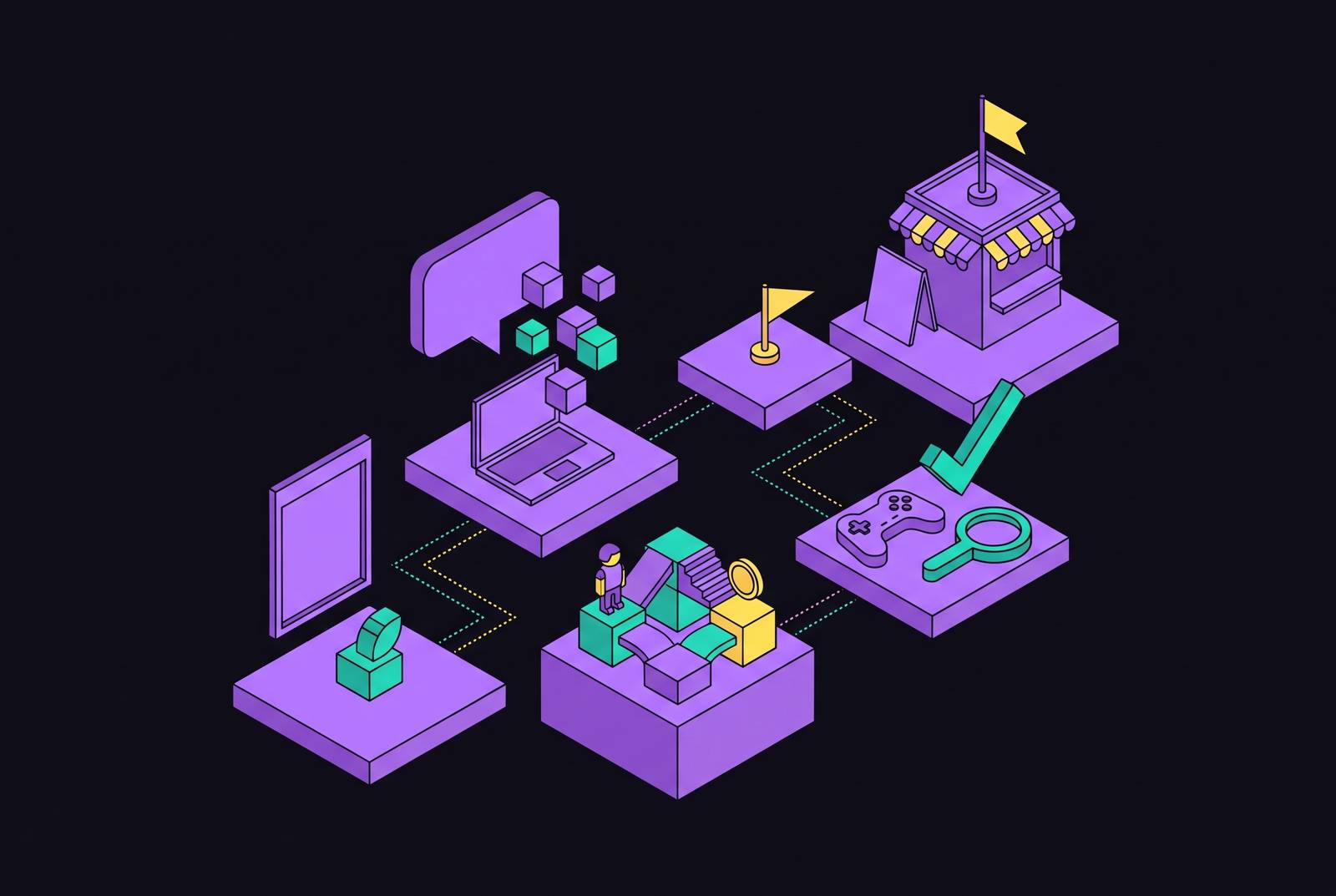
Getting a game onto Steam without coding requires a sequence of production milestones. The workable path moves from a tightly scoped idea through an exportable project, verified mechanics, coherent assets, human playtesting, and store submission. Each stage resolves a different problem. Following them in order turns the gap between a blank project and a Steam listing into concrete work.
Why 2026 is the first year a non-coder can realistically ship on Steam
The structural change in 2026 is AI operating inside the game engine. An external assistant can write scripts, but someone still has to create the scene, attach those scripts, connect inputs, and configure physics. For a non-coder, that integration work can stop the project before it becomes playable.
An AI-native engine performs those operations inside the project. It builds the scene, writes and attaches scripts, sets up physics, and produces something the creator can run. There is no separate paste-and-wire stage to complete. Because the output is a real, exportable project, the workflow can extend beyond a browser demonstration to a desktop game. The creator still guides the design and judges the result, but no longer has to connect every technical part by hand.
Scoping the idea so the AI has something it can build
Scope is the most common reason an AI game project stalls. An oversized first prompt asks the AI to resolve too many design decisions simultaneously, leaving the creator with a build that is difficult to steer. Start with one sentence that names the player’s action and goal. A top-down shooter could involve moving with WASD and aiming with the mouse to survive enemy waves. In a survivors-style game, the player could use automatic attacks against swarming enemies and collect gems to level up.
Those descriptions deliberately leave out story, art direction, menus, sound, and levels. The first task is a working loop. Compressing the idea makes its central interaction explicit while preserving its identity. If the sentence needs a chain of clauses separated by commas and semicolons, reduce the initial scope. Once the player’s basic activity works, the game can get its look and sound and more content.
Genre choice also sets the workload before building begins. Simple controls, runs of one to three minutes, and reusable procedural or AI-generated content suit reliable first builds. A puzzle room with a small set of reusable mechanics fits that constraint. An open-world RPG, live-service multiplayer game, or game that needs frame-perfect physics brings work that is best left until after the first game ships. The initial idea should give the AI a bounded task and give the creator a result that can be judged.
Choosing a starting template instead of a blank project
A template turns that small, focused idea into a project that runs, so the AI does not have to build every part from scratch. Starting blank means generating the player controller, camera, input handling, and physics before the distinctive mechanic can even be tested. Each is a potential early fault. Template selection is therefore the highest-leverage decision at the start of the build phase.
Choose the template that fits what the player does in the game. A platformer template provides the character controller, gravity, jump tuning, and tile collision, while a survivors-like template supplies automatic attacks, enemy generation, and a level-up loop. A puzzle template has grid logic, input handling, and win-state checking built in. If no template fits exactly, choose the closest movement style anyway. Movement and camera behavior are the difficult foundations, and the AI can re-theme the project around them.
Building mechanics one at a time with the prompt-play-verify loop
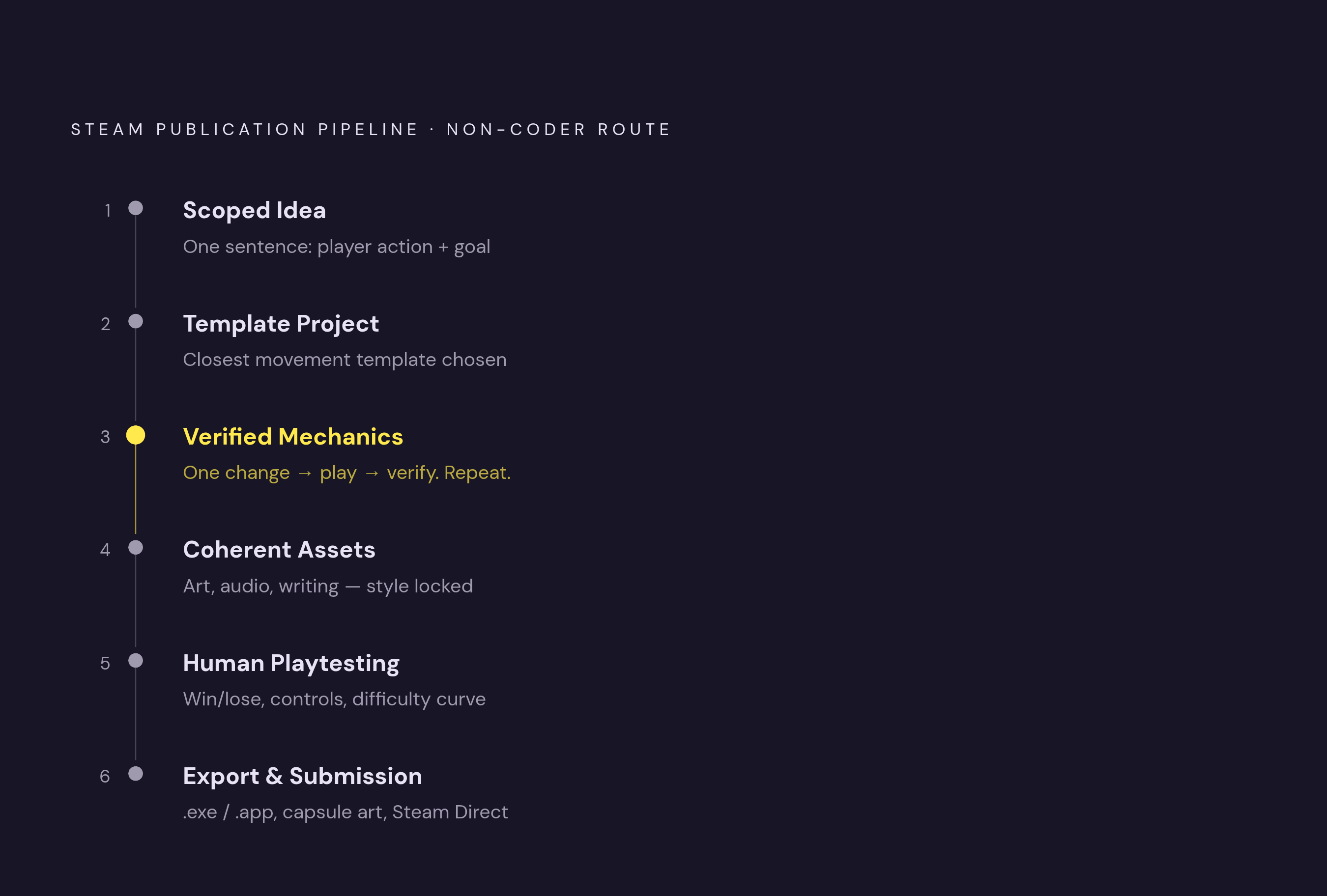
Once the template runs, make one change and test it before requesting another. Batching several mechanics into one prompt makes a broken result difficult to diagnose because several untested changes arrive together. The discipline is simple but strict. Prompt one change, play the result, confirm the intended behavior, and only then continue. The rhythm of iteration is more important than the ambition of any individual prompt.
A minimal platformer shows how the loop works. First, ask the AI to make the player jump when the space key is pressed. Running the game lets you confirm that the input produces a jump. Second, ask it to make the jump feel heavier, then run the game again and judge the change. The second request adjusts an established behavior.
Third, ask the AI to add pipes that move left. Play again and confirm their movement before changing the collision behavior. Fourth, ask it to end the game when the player touches a pipe, then test that contact. After these four steps have been tested, there is a tiny but complete game. Each step has a clear target, and the next prompt depends on the previous result working.
Prompt precision makes that verification possible. “Make it more fun” provides no behavioral target, while “moves three times slower than the player” gives a relationship that can be evaluated. “Add enemies” leaves their behavior unspecified, and “Fix the jump” does not explain what is wrong. Describe the intended result rather than asking the AI to infer what needs to change. Where speed or another measurable property is relevant, numbers are more useful than impressions.
Once the base loop works, add one new part at a time. A double jump can be one change, followed by enemies that drop a coin on death, then a health bar or a game-over screen with a restart button. Each addition still needs its own test. More systems do not justify abandoning the method that made the first systems dependable. Once the mechanics form a playable whole, the next milestone is a coherent asset set.
Generating a coherent asset set for art, audio, and writing
AI can produce usable material quickly, but visual and audio coherence remain human decisions. Lock the style before generating a batch. Otherwise, selecting attractive individual outputs can become a substitute for directing a consistent game. The goal is a set whose parts belong together.
For 2D art, specify perspective, resolution or pixel size, and the intended color palette. “32×32 pixel art tiles” constrains size, while top-down, side-scroller, or isometric specifies the view. Keep those choices consistent across the batch. Curate the results against the chosen style.
Audio requires the same restraint. Aim first for a usable sound set. Silence leaves key actions without an audible response, while some sound can make the game feel more complete. Further polish can follow after shipping. This keeps audio work proportionate to the small game already built.
Give the AI a short character outline, such as a shy shopkeeper who loves cats and hints about a secret stash. Ask for three neutral lines, three friendly lines, and three annoyed lines, then select the strongest and trim them for length. The creator controls the tone throughout. Item descriptions, location text, and tutorial hints benefit from the same division of work, with AI supplying options and the creator making the final editorial choice.
Playtesting as the work AI cannot do
AI can build the scaffold, generate assets, and connect systems, but it cannot replace the human judgment of whether playing feels good. That judgment is design work. The game must therefore be playtested before it is ready to publish. Even when all the technical parts work, pacing, clarity, and difficulty still need to be judged.
Playing the game reveals changes to ask for that prompting alone cannot. A floaty jump can become a request for the player to reach the top of the jump faster. Overly aggressive enemies can prompt a reduction in speed and health. These are responses to a played result. Apply them through the same one-change, one-test discipline rather than combining every observation into a single revision.
Before publishing, check for a clear win or lose state, responsive controls, and visible feedback on key actions. The game also needs a title screen, a restart button, and a difficulty curve that neither spikes nor flatlines immediately. Share it early with real players, even friends, and watch where they get stuck or quit. What those players do should guide changes to the game before launch.
Getting the game export-ready and packaged for submission
A game running in the editor is not yet a distributable product. The next task is exporting it as a desktop application and preparing the material needed to present it on a store. Export a Windows.exe, a macOS.app, or both, as appropriate to the intended release. Steam also accepts a Linux binary. A hosted browser URL or bare HTML folder cannot be submitted as the desktop game.
The project must progress from a playable web demonstration to an application. Packaging closes that gap. Complete the desktop export before treating the build as ready for distribution, because a working editor session does not establish that the downloadable product is ready. The next milestone will put that export in front of players.
Prepare the store material as part of this handoff. That includes a cover image at the platform’s required dimensions, a short description, genre and tag selections, and a recommended three to five screenshots. These are things to prepare, though each platform has its own rules on which ones it requires. Steam adds strict limits on capsule art. Base capsules may contain game artwork, the game name, and the official subtitle, but not review scores, award laurels, discount text, or unrelated promotional copy, with violations making the game ineligible for featuring in official Steam sales and events.
Publishing on itch.io first as a learning step before Steam
Publish the finished small game on itch.io before committing to the Steam launch. This decision sets the release sequence. itch.io has its own audience and value. Its jam audience can provide the first genuine players whose decisions reveal what the game does well and where it loses attention. That evidence can inform the Steam build before the Steam Direct fee is spent.
A finished small release teaches what a polished vertical slice cannot. Players encounter the complete loop, the ending or failure state, and the means to restart. Observing where they quit and what they praise gives you feedback to guide further iteration. The downloadable release also exercises the export pipeline outside the editor. A build that runs correctly for players on itch.io provides practical validation of the packaged game intended for Steam.
The itch.io creator guide recommends screenshots rather than imposing a minimum screenshot count for publication. It identifies setting visibility to Public as the step that publishes the page. Prepare the description and images because they help present the game.
Setting up and submitting the Steam listing
Steam is the commercial destination because PC players buy games there and its wishlists, recommendations, and seasonal festivals offer routes to discovery. Access requires its own submission process. The Steam Direct fee is a fixed per-app charge, recoupable once the game passes a specified gross revenue threshold. Valve’s published terms also provide for a thirty percent revenue cut. Account for those terms when moving from a first public release to a commercial listing.
Prepare the listing with the description, screenshots, and compliant capsule art, then submit the Coming Soon page for review. Valve requires submission at least seven business days before the intended date for that page to go live. This is not the release date. Valve also requires a new product’s Coming Soon page to remain public for at least two weeks before release. Work backward from both dates.
Publish the Coming Soon page when the game can be represented accurately and public promotion begins. Waiting until release forfeits the pre-launch period for accumulating wishlists. Share the page where the intended audience already spends time, and post development updates that give potential players a reason to follow progress. Wishlists are the central pre-launch metric. Developer community benchmarks point to a substantial count for a visible launch, but they are not a guarantee of discovery or sales.
A scoped idea, an exportable project, verified mechanics, curated assets, human testing, and a prepared submission provide a concrete route to a Steam listing. Whether the release finds an audience depends on the game and the people it serves.